Writing Effective Outreach Emails
Tips on personalization, subject lines, and email structure to maximize your reply rates.
The difference between an email that gets a reply and one that gets ignored often comes down to a few key details. This guide covers proven strategies for writing outreach emails that feel personal, provide value, and encourage responses.
Crafting a Strong Subject Line
Your subject line is the first thing a recipient sees, and it determines whether your email gets opened. Keep these principles in mind:
- Keep it short. 5 to 8 words is ideal.
- Make it specific and relevant to the recipient.
- Avoid spammy words like "free," "urgent," or excessive punctuation.
- Personalize when possible (e.g., include their name or company).
Structuring Your Email
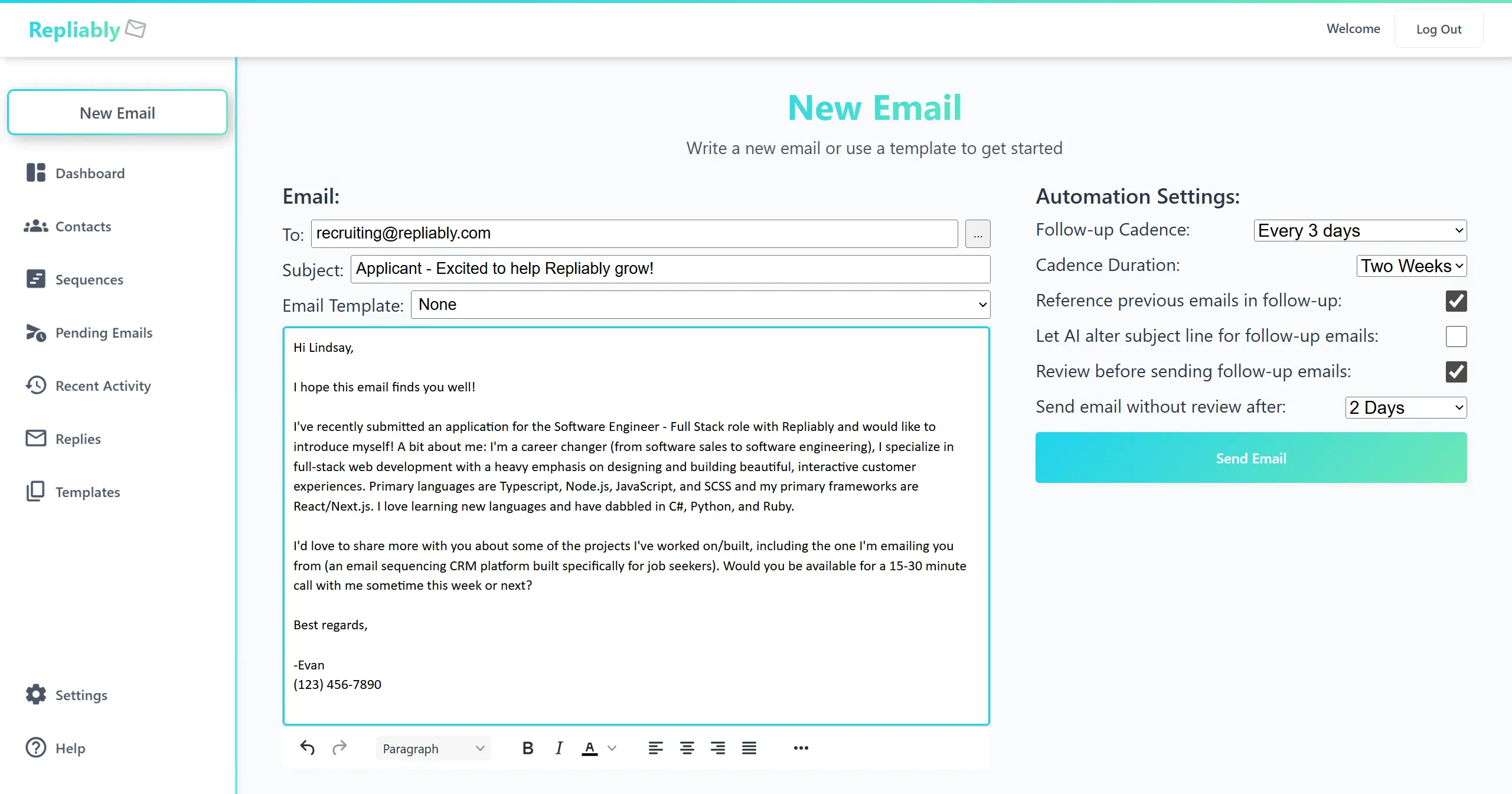
A good outreach email follows a simple structure that respects the recipient's time:
- Opening: A short, personalized hook. Reference something specific about them.
- Value: Explain what you're offering or why you're reaching out. Focus on their benefit, not yours.
- Ask: End with a clear, low-friction call to action (e.g., "Would you be open to a quick chat?").
Personalization That Matters
Generic emails get generic results. The most effective personalization goes beyond just inserting a name:
- Reference something they've published, built, or said publicly.
- Mention a mutual connection or shared experience.
- Tailor your value proposition to their specific role or company.
- Use a conversational, human tone and avoid corporate jargon.
Follow-Up Best Practices
Most replies come from follow-ups, not the initial email. In Repliably, your follow-ups are generated automatically by AI, but that doesn't mean you have to send them as-is. You can review and edit every follow-up before it goes out, and we encourage it. A small personal tweak can make a big difference.
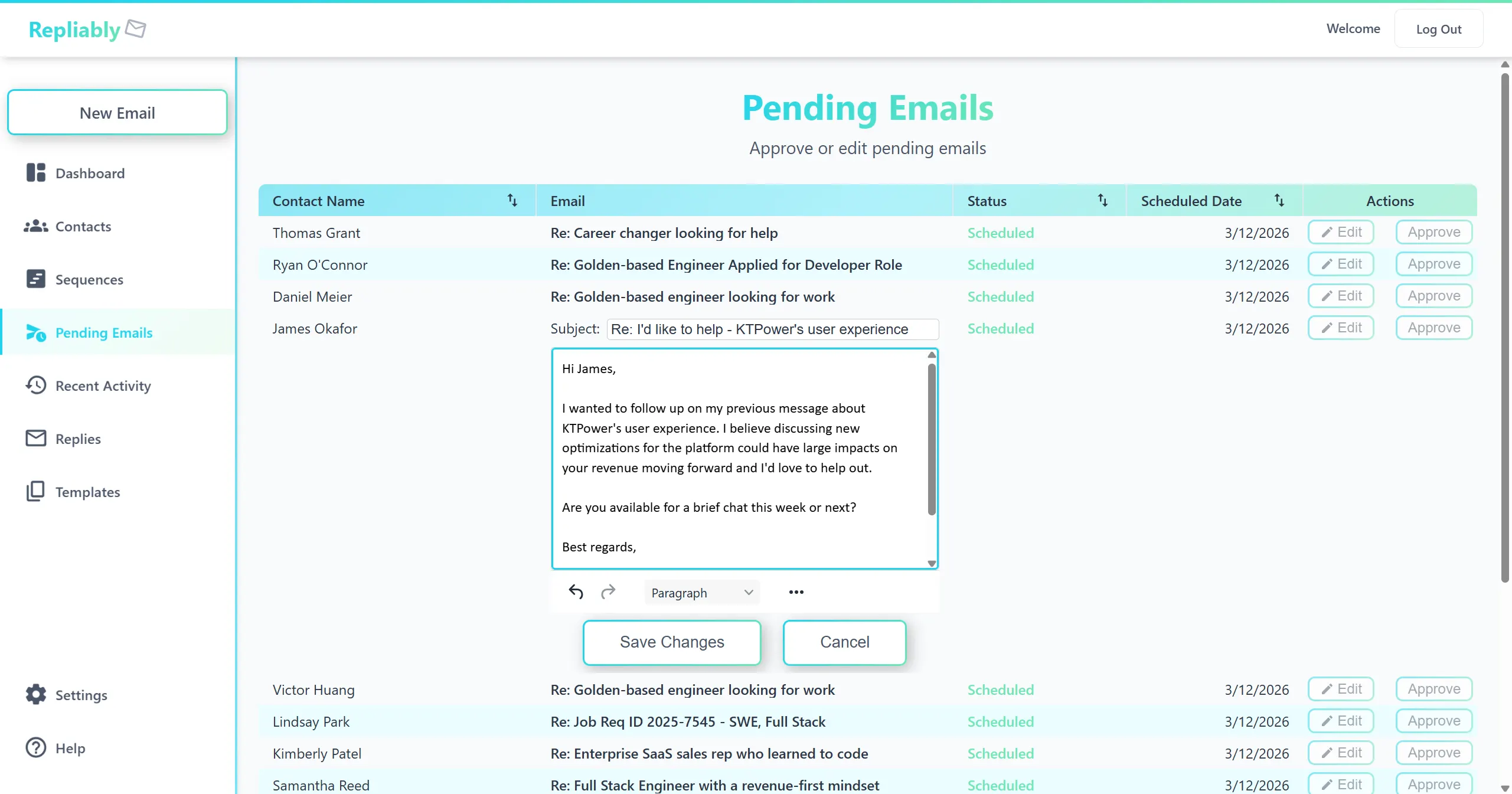
Here are a few tips to keep in mind when reviewing your follow-ups:
- Keep them shorter than the original email.
- Add new value or information instead of just repeating yourself.
- Reference the previous email naturally (e.g., "Following up on my note last week").
- Vary your approach. Try a different angle or a question.
- Know when to stop. 3–4 total touches is usually the sweet spot.